# How to unstake with Silo

### Navigate to the app

Navigate to <https://app.silostaking.io/> and click "Stake now" button in the top right

<figure><img src="https://336521628-files.gitbook.io/~/files/v0/b/gitbook-x-prod.appspot.com/o/spaces%2Fo6R05wjCNhkLlBo3iQEk%2Fuploads%2FMIHwuKmix0SeNNgZKQFE%2F1%20url.png?alt=media&#x26;token=bf72f5b7-12de-471b-a570-50bdd02c7120" alt=""><figcaption></figcaption></figure>

### Connect wallet

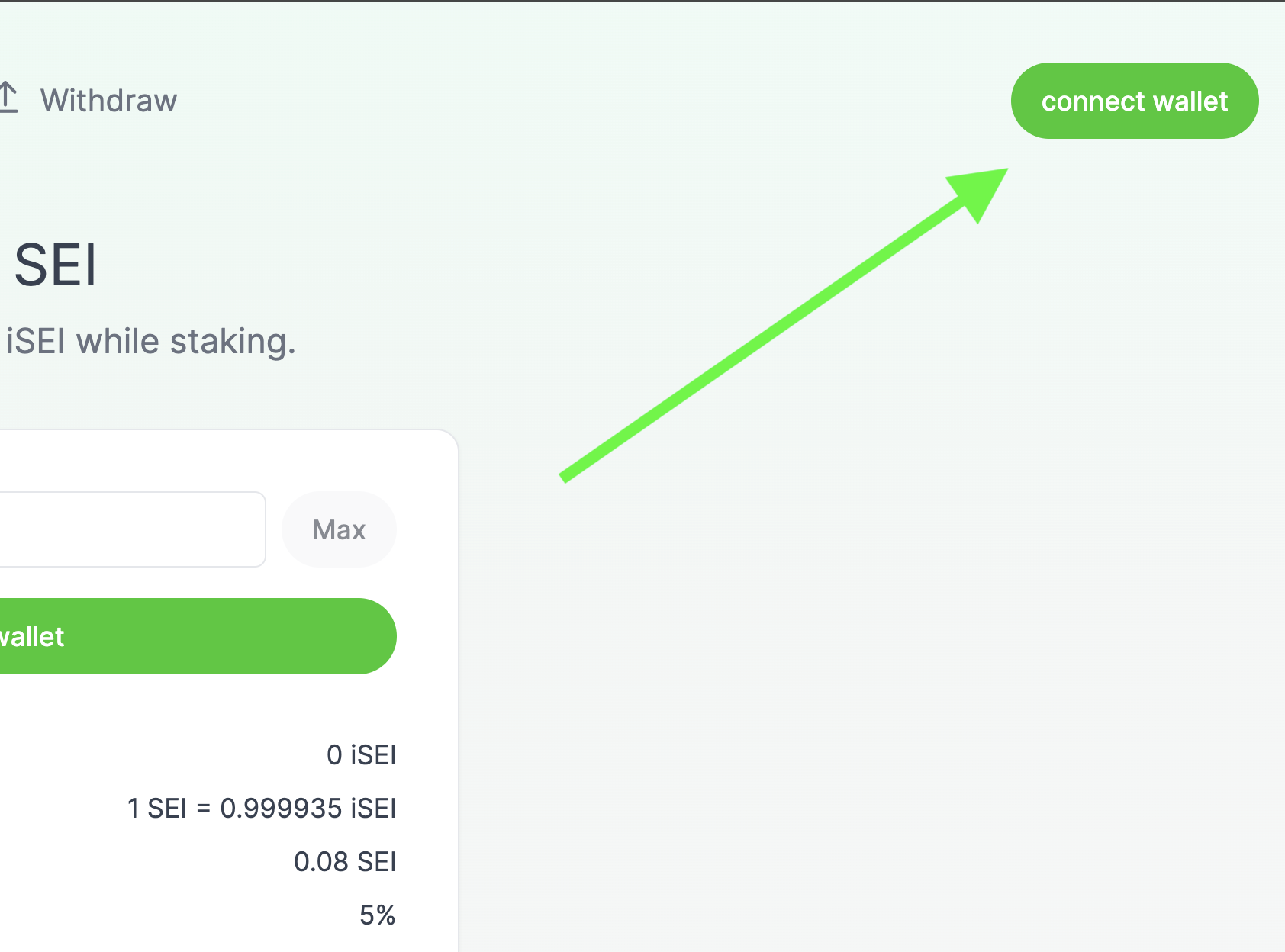
First, you'll need to click "Connect Wallet" in order to interact with the app.

<figure><img src="https://336521628-files.gitbook.io/~/files/v0/b/gitbook-x-prod.appspot.com/o/spaces%2Fo6R05wjCNhkLlBo3iQEk%2Fuploads%2FcP4hCbLgo9kfRSmf2F8F%2F2%20connect.png?alt=media&#x26;token=56388a55-a7d9-4108-b32c-1dac6db231a7" alt=""><figcaption></figcaption></figure>

### Select your wallet

Click on the logo of your preferred wallet. Note, at time of launch, we will support Compass and Fin wallets. If you're using another wallet (such as Keplr), you'll need to switch over in order to interact with the Silo frontend.&#x20;

<figure><img src="https://336521628-files.gitbook.io/~/files/v0/b/gitbook-x-prod.appspot.com/o/spaces%2Fo6R05wjCNhkLlBo3iQEk%2Fuploads%2FLvQVubYHC4ByQWyC2Ww4%2F3%20choose%20wallet.png?alt=media&#x26;token=5a51e2a2-98aa-44fa-ad00-eb54319a340c" alt=""><figcaption></figcaption></figure>

### Enter password

Once you've selected your wallet, enter your password to unlock it.

<figure><img src="https://336521628-files.gitbook.io/~/files/v0/b/gitbook-x-prod.appspot.com/o/spaces%2Fo6R05wjCNhkLlBo3iQEk%2Fuploads%2FFamMW7tkBd7FyQ4HlTzc%2F4%20enter%20password%20to%20your%20wallet.png?alt=media&#x26;token=788f0adf-dbb4-43fb-88ae-a39813d91e5a" alt=""><figcaption></figcaption></figure>

### Wallet is linked!

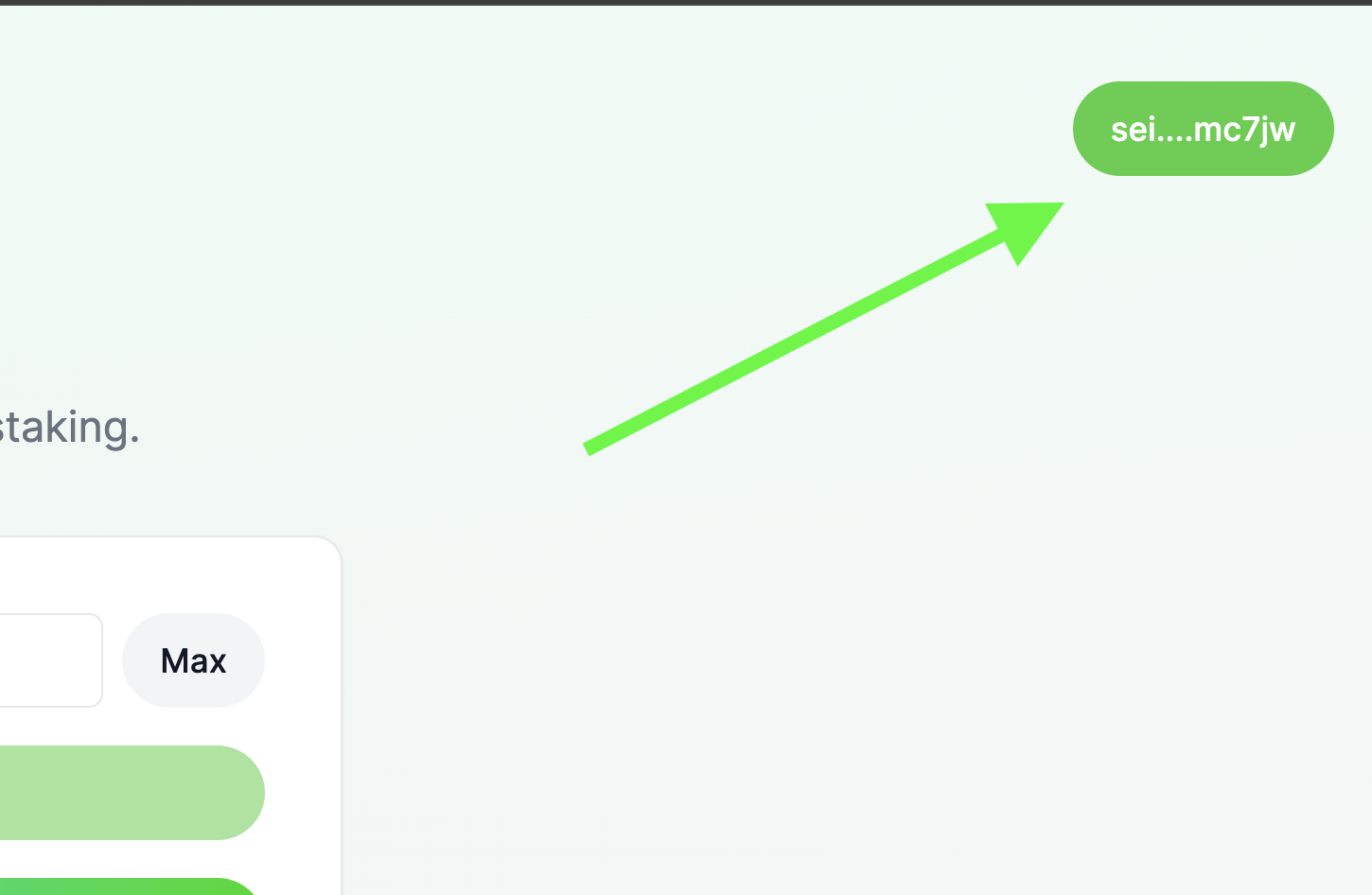
Congratulations! Your wallet is now linked and you should be able to see your balance in the Silo frontend. You should be able to see your abbreviated address in the top right if you succeeded in linking your wallet.

<figure><img src="https://336521628-files.gitbook.io/~/files/v0/b/gitbook-x-prod.appspot.com/o/spaces%2Fo6R05wjCNhkLlBo3iQEk%2Fuploads%2FbPiksUwNL0Oo71E6QAfn%2F5%20wallet%20successfully%20linked.png?alt=media&#x26;token=a5b1cd7e-7a4f-45f3-99cc-a223eea766a7" alt=""><figcaption></figcaption></figure>

### Navigate to withdraw page

Next, you'll need to click the "Withdraw" button at the nav bar at the top.

<figure><img src="https://336521628-files.gitbook.io/~/files/v0/b/gitbook-x-prod.appspot.com/o/spaces%2Fo6R05wjCNhkLlBo3iQEk%2Fuploads%2F8JgMcGfbdEzeRnZhBNyn%2Funstaking%201%20nav%20to%20unstake%20page.png?alt=media&#x26;token=9007eb90-debd-45bf-b4ad-5c923a4ad531" alt=""><figcaption></figcaption></figure>

### Enter amount

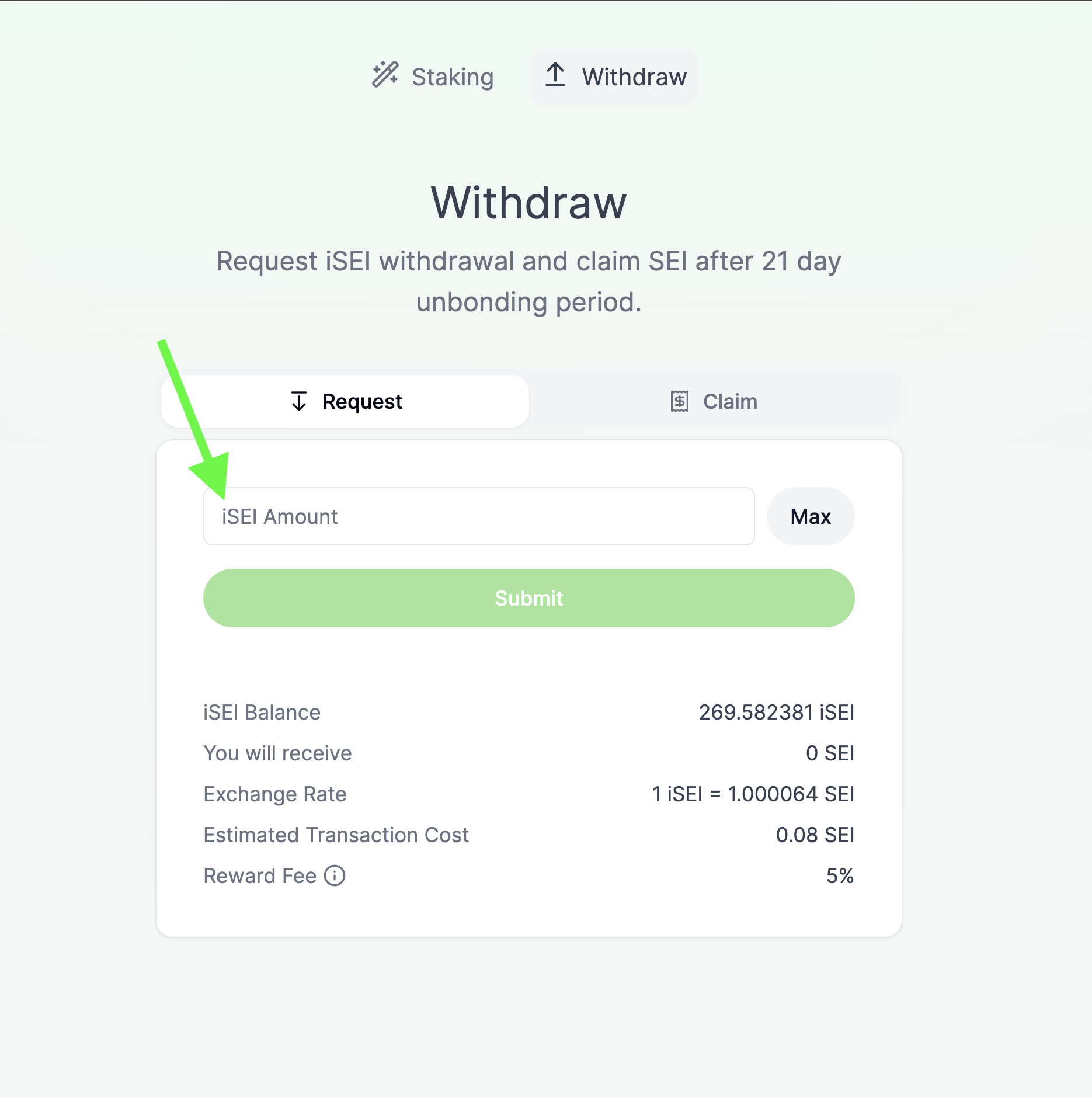
Enter the amount of iSEI you'd like to convert back to SEI.&#x20;

<figure><img src="https://336521628-files.gitbook.io/~/files/v0/b/gitbook-x-prod.appspot.com/o/spaces%2Fo6R05wjCNhkLlBo3iQEk%2Fuploads%2FhZ4NAraDNUPNiMuJozEh%2Funstaking%202%20enter%20amount.png?alt=media&#x26;token=44bdf0f6-6179-46d2-9fcf-9ec6a6f9c4b0" alt=""><figcaption></figcaption></figure>

### Hit submit

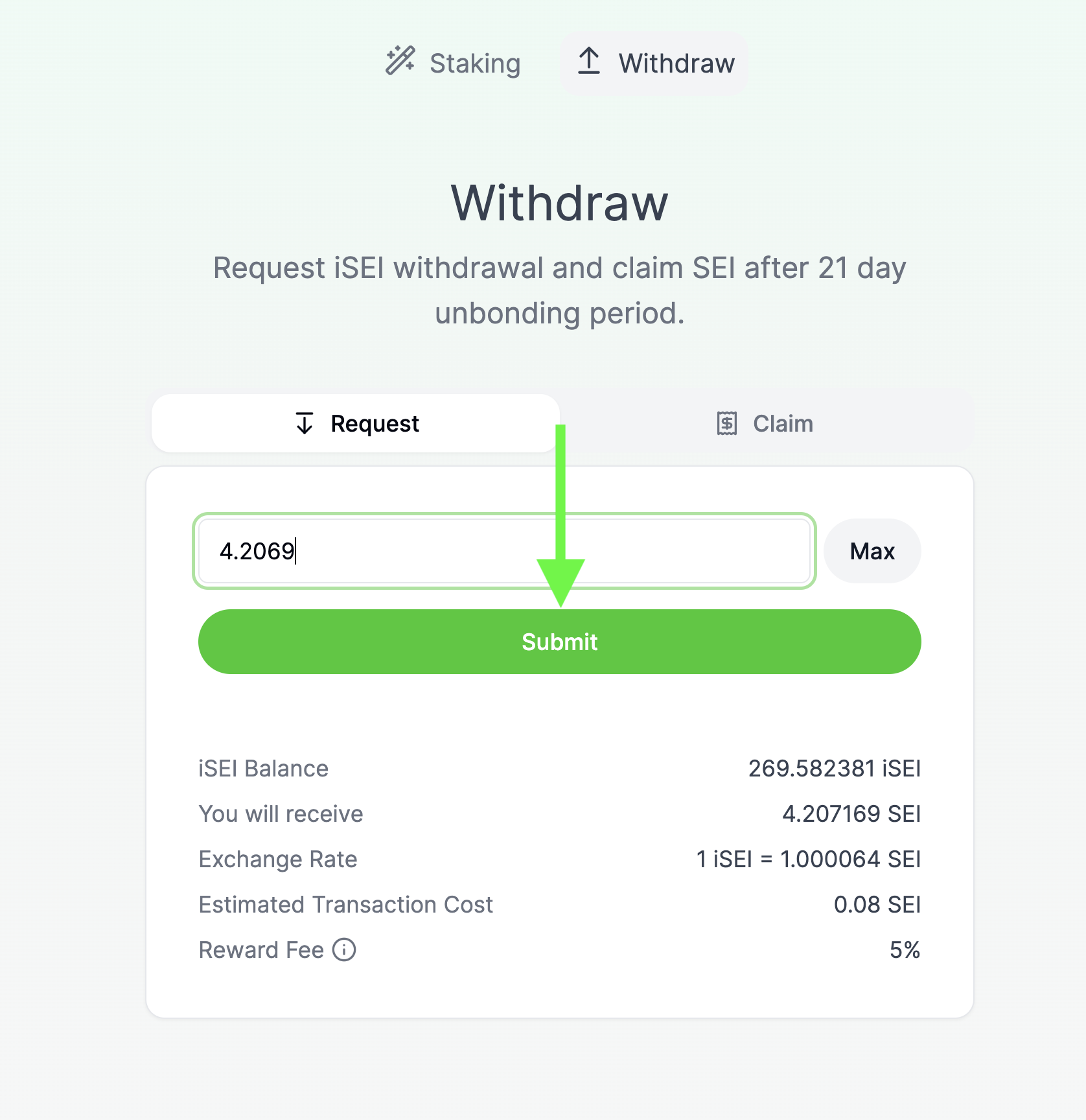
Once you've decided how much iSEI to convert back to SEI, click the big green "Submit" button.

<figure><img src="https://336521628-files.gitbook.io/~/files/v0/b/gitbook-x-prod.appspot.com/o/spaces%2Fo6R05wjCNhkLlBo3iQEk%2Fuploads%2FrTwqpq5laQ7vvQXjRo9G%2Funstaking%203%20hit%20submit.png?alt=media&#x26;token=d26f48c2-c1f8-4227-bb28-1bd8dbcacf70" alt=""><figcaption></figcaption></figure>

### Approve transaction

After clicking submit, you'll be taken to your wallet to approve the transaction in another tab. Click the approve button  to approve the transaction and proceed with requesting to unbond your SEI. (Note, this wallet screenshot is from Compass wallet- it may look different depending on your browser and your choice of wallet).&#x20;

<figure><img src="https://336521628-files.gitbook.io/~/files/v0/b/gitbook-x-prod.appspot.com/o/spaces%2Fo6R05wjCNhkLlBo3iQEk%2Fuploads%2FjgG6A8LTl53zqSgVWL4W%2Funstaking%204%20approve%20txn.png?alt=media&#x26;token=0c2ec4b0-5275-4ca8-87a9-45c43eb053f3" alt=""><figcaption></figcaption></figure>

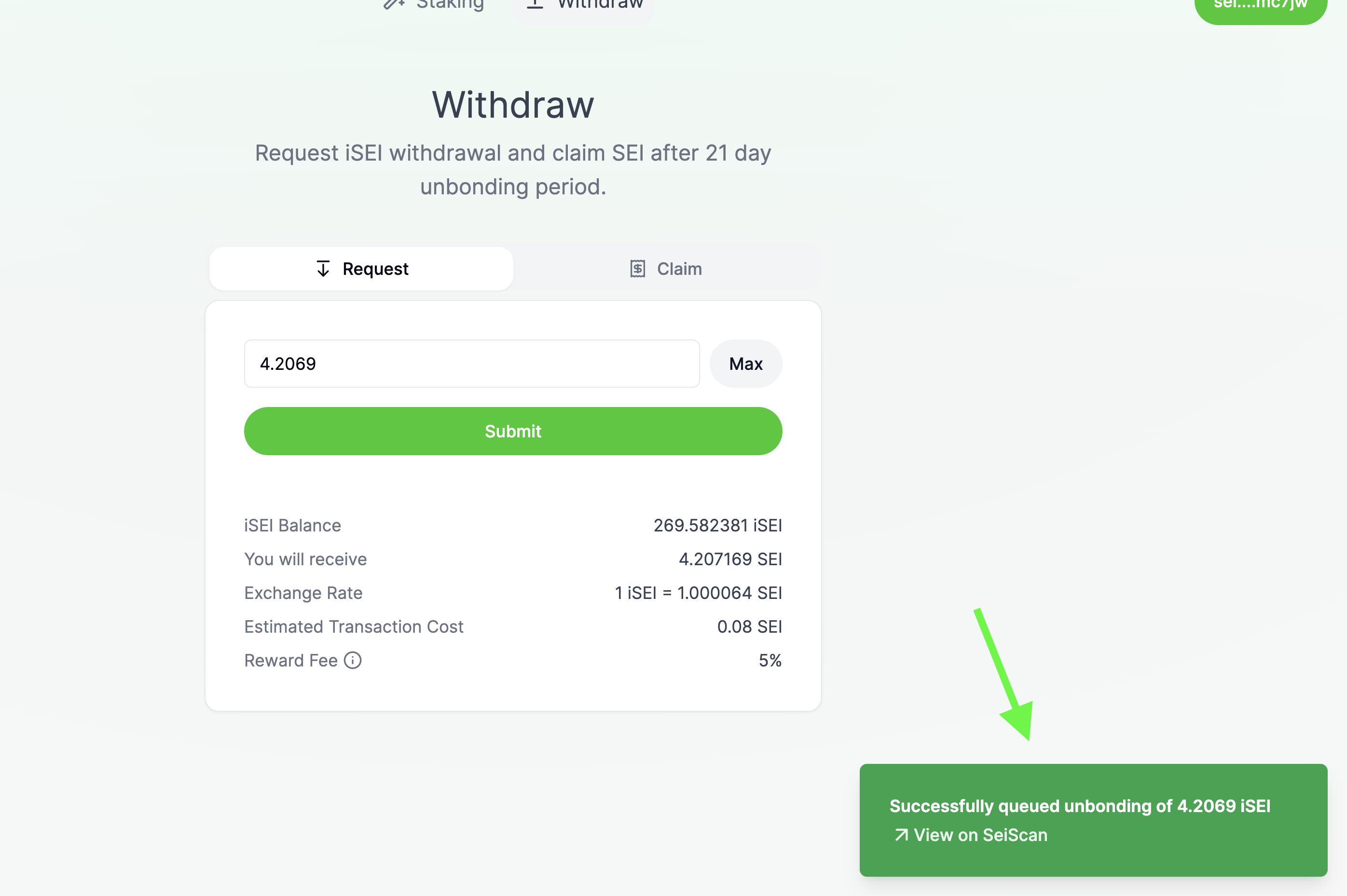
### Successfully submitted unbonding request!

If all goes well, in the bottom right hand corner of the Silo frontend you'll see a confirmation message linking you to SeiScan to see the transaction.&#x20;

<figure><img src="https://336521628-files.gitbook.io/~/files/v0/b/gitbook-x-prod.appspot.com/o/spaces%2Fo6R05wjCNhkLlBo3iQEk%2Fuploads%2FQmaPpIPT0IZUg3fgf9xg%2Funstaking%205%20success!.png?alt=media&#x26;token=89f319a3-c7cd-4f05-ba86-9a304d22fd8b" alt=""><figcaption></figcaption></figure>

### See your unbonding wait time

From the Withdraw page, click the "Claim" button to view your recently submitted unbonding request. This process takes 21 days. Underneath your request it will tell you the estimated time that your unbonded SEI tokens will be available for withdrawal.&#x20;

<figure><img src="https://336521628-files.gitbook.io/~/files/v0/b/gitbook-x-prod.appspot.com/o/spaces%2Fo6R05wjCNhkLlBo3iQEk%2Fuploads%2FZvIS1rXEBSvD6cPPoLGi%2Funstaking%206%20claim%20wait%20time.png?alt=media&#x26;token=8735195a-103c-4a94-9959-a851cdf608f1" alt=""><figcaption></figcaption></figure>

### Claim your tokens after unbonding

After 21 days, come back to this page and click your unbonding request to finalize the withdrawal! &#x20;

### I've withdrawn my SEI, what now?

Those fields aren't gonna farm themselves...

<figure><img src="https://336521628-files.gitbook.io/~/files/v0/b/gitbook-x-prod.appspot.com/o/spaces%2Fo6R05wjCNhkLlBo3iQEk%2Fuploads%2Fs1posYeteWlYgobDkTzs%2Fsad_farmer_just_unstaked.png?alt=media&#x26;token=214ba151-90c5-4d7a-aebc-83f229b7c12b" alt=""><figcaption></figcaption></figure>